Auto-Reply
Setup & Configuration
Automatically reply to qualifying X posts using your connected accounts.
Auto-Reply posts public thread replies to X posts that meet your score and intent criteria — without you having to be there. It uses the X accounts you've added to your Accounts pool and only fires when a post clears both your score threshold and intent filter.
Prerequisites
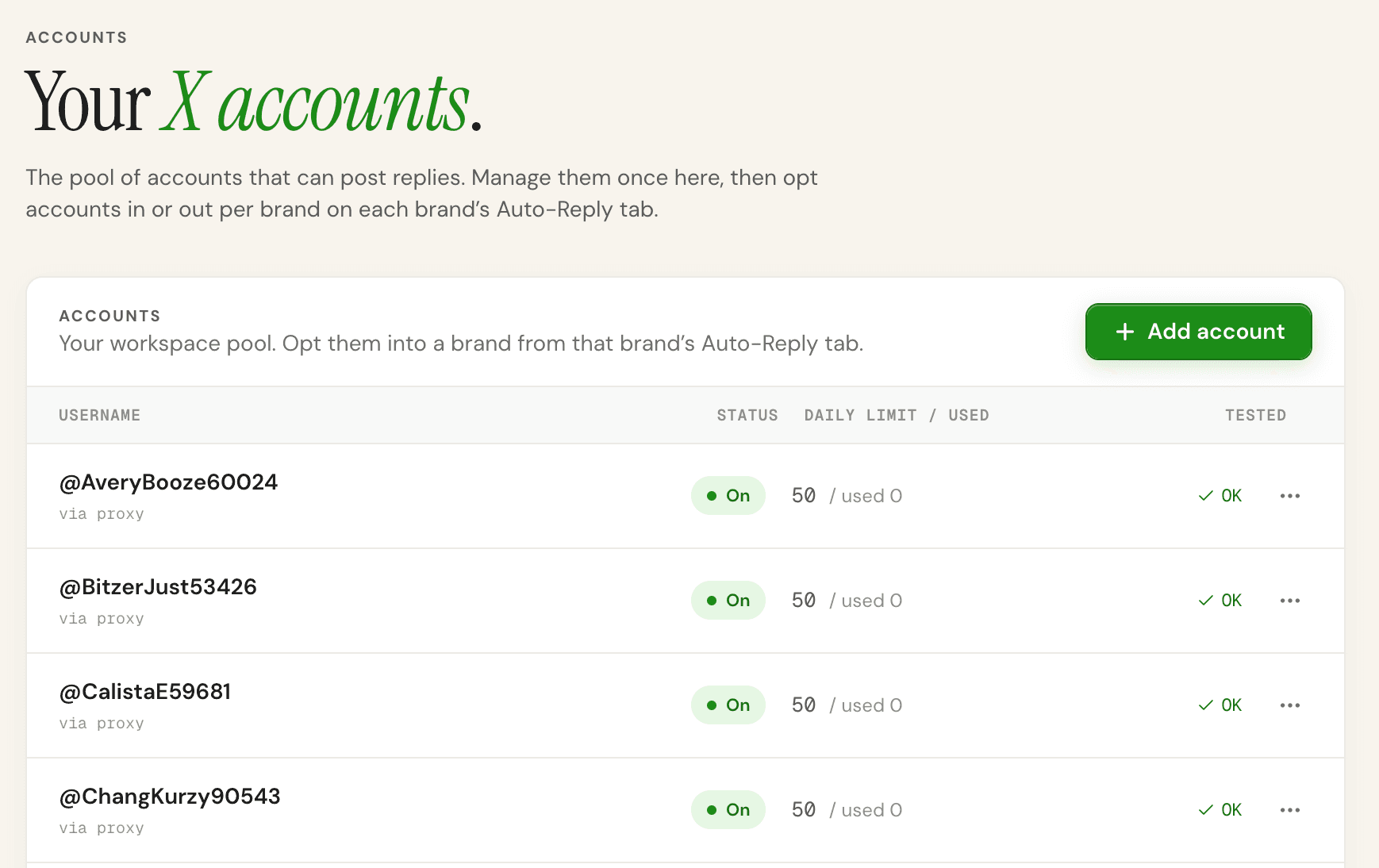
- At least one X account added to Workspace → Accounts with a valid auth token
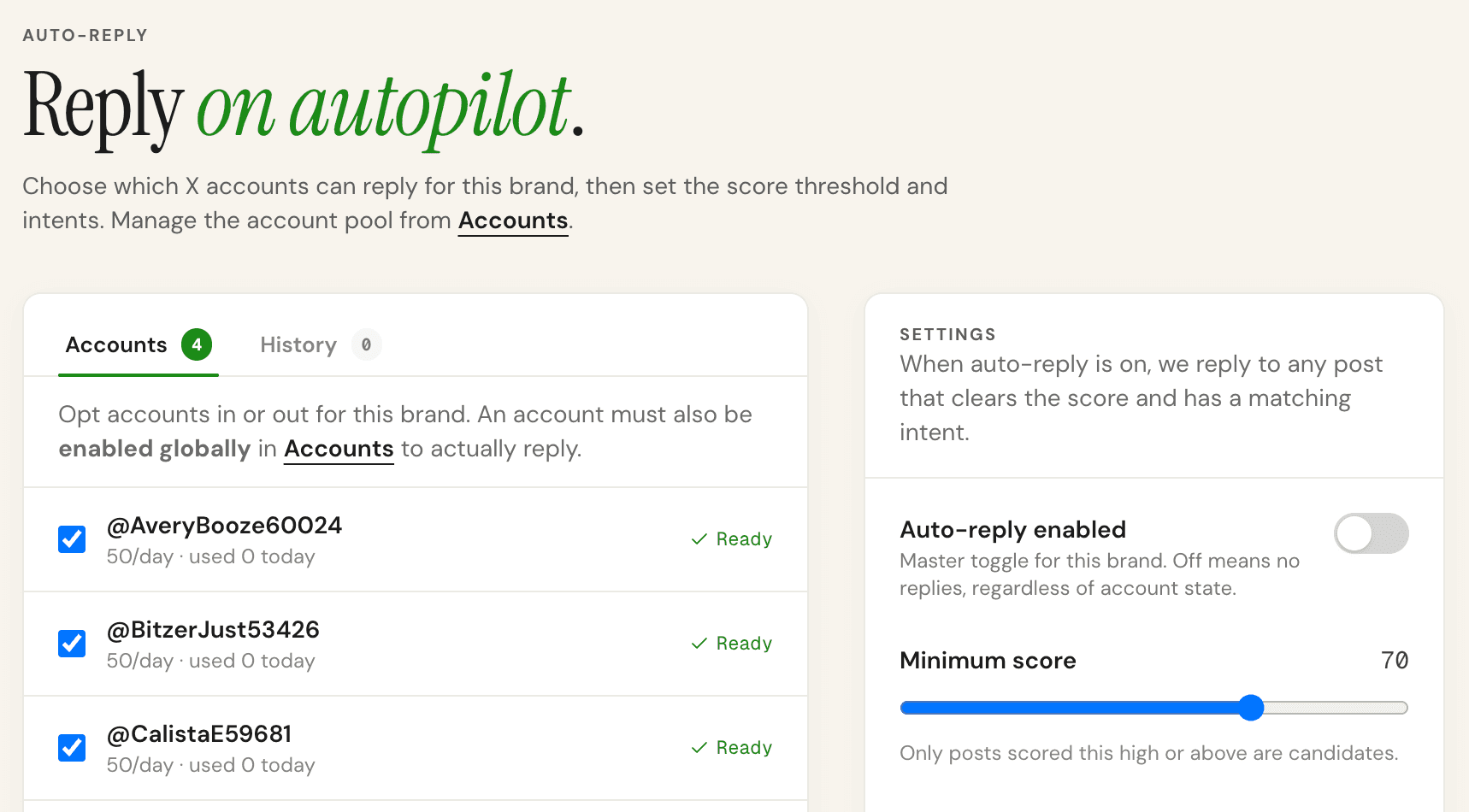
- That account opted in to this brand (toggled on in the Auto-Reply tab)
- Auto-Reply enabled for the brand (master toggle)
- Min score and intent filters configured
Score threshold
Only posts scoring at or above this number will receive a reply. Recommended starting point: 75. Going below 60 risks replying to tangentially related posts. Going above 90 means very few posts qualify.
Intent filter
Select which intent categories should trigger auto-reply. Recommended: Seeking agency + Purchase signal. Be cautious with "Asking question" and "Sharing opinion" — these are lower intent and a public reply may feel off.
How the reply is generated
WireTrap drafts a reply using your Brief (product, ICP, industry) and the post content. The AI is instructed to sound like a peer — no hashtags, no @mentions, no marketing speak, under 220 characters. It references something specific from the post rather than giving a generic pitch.
Daily limits and rotation
Each account has a daily reply cap (configurable per account in Workspace → Accounts). When one account hits its cap, WireTrap automatically rotates to the next available opted-in account. All caps reset at UTC midnight.